Version 4 - Last Updated: 31 Jul 2025
Financial reports
Accessing the financial area of the Applicant Information Service
You need to have LP Financials Administrator access to see the financial area of the Learning Provider Portal.
See Learning provider user roles for more information.
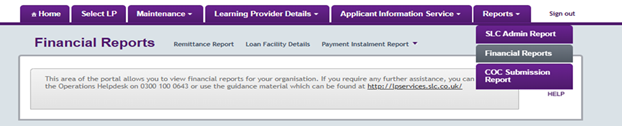
To begin, hover over the Reports tab on the portal Home page. This will open a dropdown menu, then select Financial Reports.
This will open the Financial Reports page. You can navigate to all financial reporting options from this page.
Print this chapter
Was this page helpful?
Thank you for your feedback
This site is protected by reCAPTCHA and the Google
Privacy Policy and
Terms of Service apply.